Math Formula Wizard2.1.1
Publisher Description
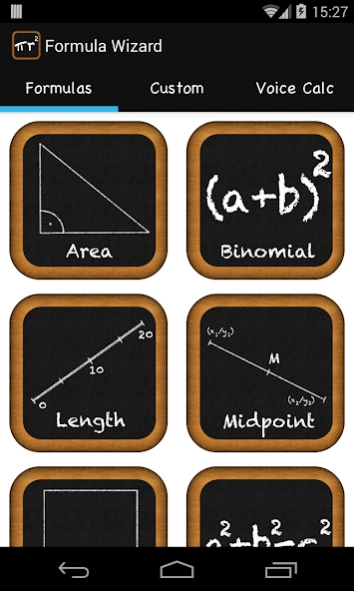
The ideal math utility for everybody!
Math Formula Wizard – Math formulas and calculations on your Android phone or tablet. It’s free, beautiful and easy to use!
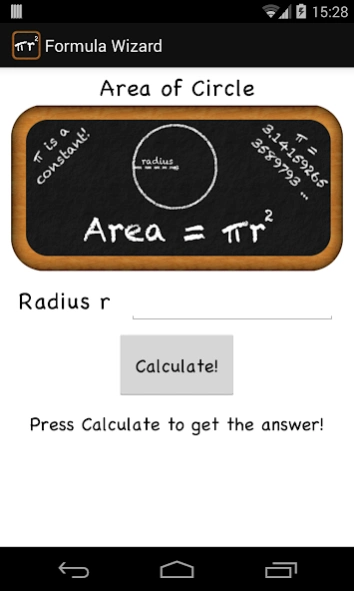
Formula Wizard is the perfect companion for anyone using mathematics in school, university, at work or for personal problems. The integrated calculator lets you calculate the area, volume and perimeter of any geometrical solid or shape. You can also use Formula Wizard to solve quadratic equations or to make use of the binomial theorem. On top of that, you can compute the distance between two points in a Cartesian coordinate system.
Get Formula Wizard for mathematics now and make your life easier! Whether you use this formula utility for your homework, to assist you at work or to prepare for an examination, it's intuitive user interface and the calculating feature will help you a lot.
Features:
☆ Area calculator
☆ Volume calculator
☆ Quadratic Formula
☆ Distance Formula for points in a Cartesian coordinate system
☆ Binomial Theorem for exponents of 2 and 3
☆ Perimeter calculator
☆ Midpoint calculator
☆ Pythagoras calculator
☆ Slope calculator
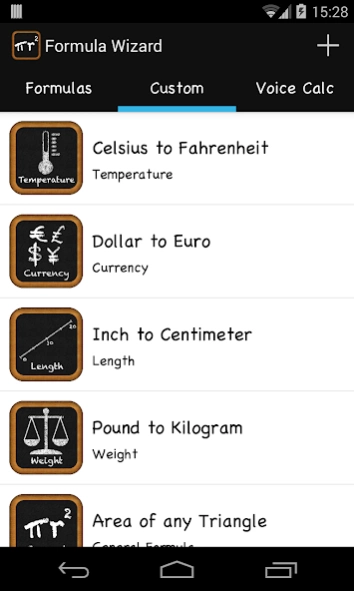
☆ Custom calculator for any formula you can imagine
☆ Voice calculator
About Math Formula Wizard
The company that develops Math Formula Wizard is sebbas. The latest version released by its developer is 2.1.1. This app was rated by 1 users of our site and has an average rating of 4.0.
To install Math Formula Wizard on your Android device, just click the green Continue To App button above to start the installation process. The app is listed on our website since 2014-07-29 and was downloaded 19 times. We have already checked if the download link is safe, however for your own protection we recommend that you scan the downloaded app with your antivirus. Your antivirus may detect the Math Formula Wizard as malware as malware if the download link to com.ndroidstudios.android.formulawizard is broken.
How to install Math Formula Wizard on your Android device:
- Click on the Continue To App button on our website. This will redirect you to Google Play.
- Once the Math Formula Wizard is shown in the Google Play listing of your Android device, you can start its download and installation. Tap on the Install button located below the search bar and to the right of the app icon.
- A pop-up window with the permissions required by Math Formula Wizard will be shown. Click on Accept to continue the process.
- Math Formula Wizard will be downloaded onto your device, displaying a progress. Once the download completes, the installation will start and you'll get a notification after the installation is finished.
Program Details
System requirements
Download information
Pricing
Version History
version 2.1.1
posted on 2014-07-29
Formula Wizard just got so much better! See for yourself!,What's new in Version 2.0?,☆ Totally new UI and better experience when using formula calculators,☆ Includes more calculators: Midpoint, Pythagoras and Slope!,☆ Create custom formulas with the new formula editor,☆ Ask questions: You can now use your voice to calculate your formulas!,☆ Reduced file size and optimized the app in general
version 1.2
posted on 2012-11-01
Several fixes and updates
